
How a Simple Invoice Workflow Can Give SMEs Hours Back Every Week
Invoice processing rarely breaks because one single task is difficult. It becomes painful because small manual steps repeat every day across email inboxes, shared folders, supplier messages, scanned documents and accounting systems.
An invoice arrives. Someone downloads it, checks the supplier details, copies the amounts into the accounting system, looks for duplicates, asks for approval and then tries to keep track of whether it has been paid. Each step may only take a few minutes, but the accumulated effort quickly becomes part of the hidden cost of running the business.
For SME owners and growing finance teams, this is where operational friction starts to show. The business may already have Xero, QuickBooks, Google Drive, email, spreadsheets and WhatsApp in place, but the process still depends on someone manually moving information between them. The issue is not always a lack of software. More often, the systems already in use are not working together in a way that reflects how the business actually operates.
What a better invoice workflow looks like
I recently built and tested a simple invoice automation workflow using n8n, Google Drive, AI invoice extraction, Google Sheets, Xero and Gmail.
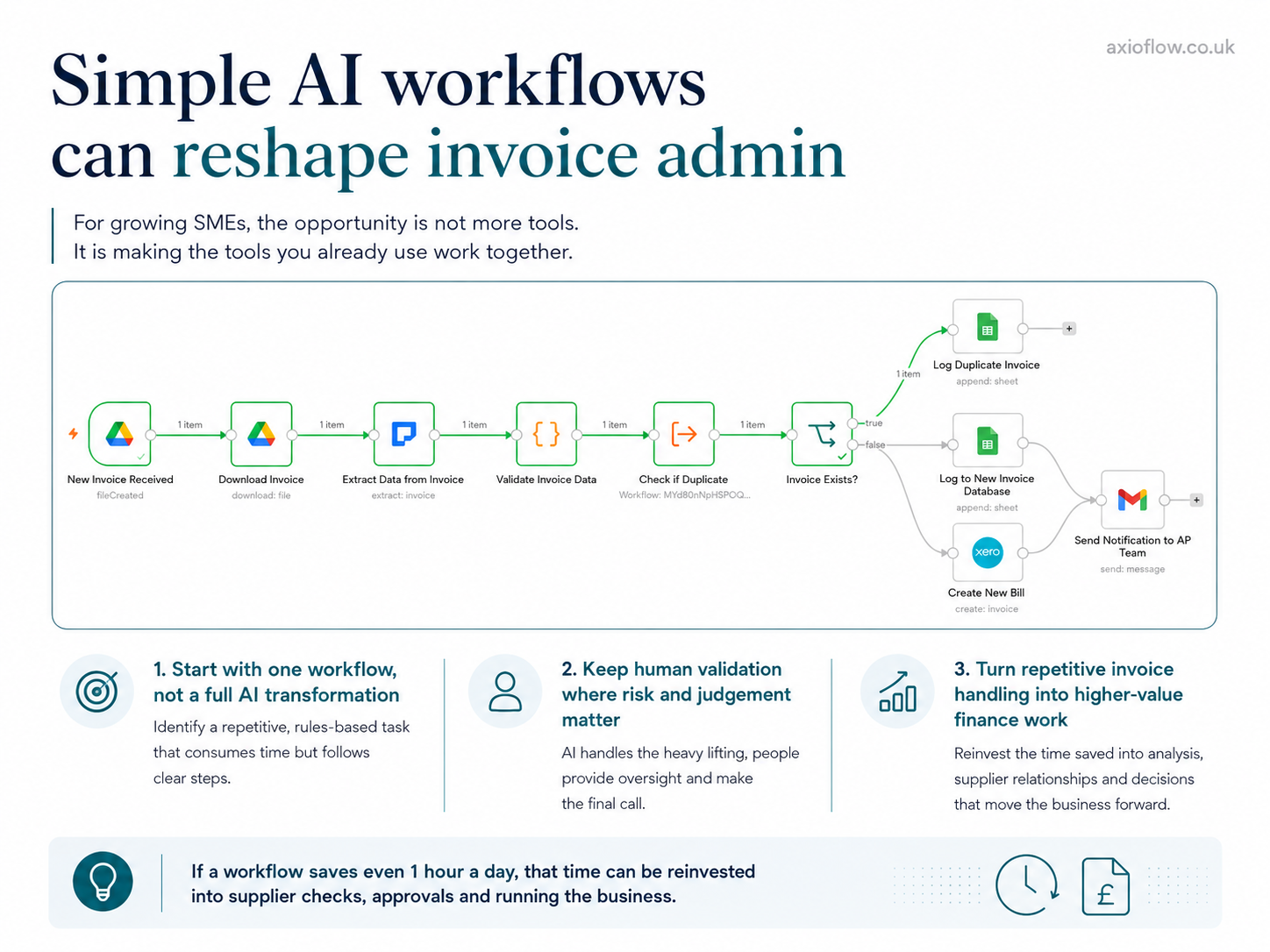
The workflow starts when a new invoice lands in a folder. From there, it downloads the file, extracts the key data, validates the information, checks whether the invoice already exists, logs duplicates separately, adds new invoices to an invoice register, creates a bill in Xero and notifies the Accounts Payable team.
That may sound technical, but the business outcome is straightforward. A supplier invoice comes in, the system handles the repetitive work, and a person only steps in where judgement, validation or approval is needed. Instead of asking someone to re-key data and chase information across different places, the workflow creates a more consistent path from invoice received to invoice processed.
SMEs do not need more tools for the sake of it
Business owners rarely ask for another dashboard or another standalone app. They want simpler operations.
They want invoices received by email to become invoice entries in Xero without someone copying and pasting the same fields. They want duplicate invoices caught before they create a payment risk. They want approvals to be clear and visible. They want the Accounts Payable team to know what has happened without trawling through folders, inboxes and spreadsheets.
That is the practical value of automation. It is not about replacing the finance team or removing human oversight. It is about removing the repetitive steps that stop people doing more useful finance work — checking supplier accuracy, managing cash flow, resolving exceptions and improving supplier relationships.
Where AI fits in
AI is useful here because invoices are not always neat or predictable. Suppliers use different formats, layouts and terminology. Some invoices have multiple lines, some are missing information, and some need to be checked against a purchase order, supplier record or payment history.
Traditional software often expects documents to fit a fixed structure. Real businesses tend to work with exceptions, variations and imperfect information.
AI gives SMEs a more flexible way to turn unstructured documents into usable business data. Once the data is extracted, the workflow applies normal business rules: Is the invoice number present? Does the total match the line items? Has this invoice been processed before? Does it need approval before a bill is created?
This is where AI becomes genuinely useful — not as a standalone novelty, but as part of a workflow that helps the business move from document to decision with less manual effort.
The value is not only in invoice entry
Once a basic workflow is in place, the same structure can be extended. Automated reminders can go to internal approvers or suppliers. Payment status can be validated against bank activity. Invoices can be reconciled against purchase orders. Approved invoices can move into a payment run. Clean invoices follow a standard path, while exceptions route to a person for review.
The aim is not to automate everything on day one. The aim is to build a better operating rhythm: invoice received, data extracted, checks completed, human approval where needed, accounting system updated, payment process triggered, notification sent.
That is a very different way of working from checking folders, copying fields and sending reminder emails manually.
The cost of doing it manually
The direct cost of manual invoice admin is easy to underestimate. If one person spends just one hour per day on invoice-related admin, and their time costs around £14 per hour, that is roughly £300 per month in staff time. Over a year, that is more than 250 hours that could be redirected into customer service, supplier management, reporting or cash flow planning.
For a small business, time saved is not an abstract efficiency metric. It is capacity. It is the difference between staying on top of operations and constantly catching up. It is also a way to reduce the risk of errors, duplicate payments and missed approvals as the business grows.
This is not only an SME problem
J.P. Morgan has highlighted the importance of invoice automation for improving processing, approvals, visibility and reconciliation in finance operations. The underlying challenge is the same at every size of business: manual invoice handling creates delays, increases the chance of errors and turns finance teams into the link between disconnected systems.
Larger organisations experience this at scale. SMEs experience it more personally because the work often sits with a small team or one overstretched person. When invoice workflows are manual, the business carries unnecessary friction.
A practical starting point
The best place to start is not with the software. Start with the workflow.
Look at where invoices come from, who checks them, what information is copied manually, where mistakes usually happen, what needs human approval, what could be logged automatically and what should happen when something looks wrong.
Once that is clear, tools like n8n, Zapier, Make, Google Sheets, Xero and AI document extraction can be joined together around the process the business actually needs. That is the real opportunity for SMEs: not a large AI transformation project, but a practical workflow that gives the team time back, reduces avoidable errors and makes the business easier to run.
The first step is simply seeing the manual work clearly.
If you want to explore what a more joined-up invoice process could look like for your business, book a conversation with AxioFlow.
Reference: J.P. Morgan — Invoice Automation and Processing Guide for Business
Emmy Mukasa
Founder, AxioFlow
Ready to put this into practice?
Take our free 5-minute Operational Health Check and get personalised recommendations to streamline your business.
Take the Health CheckYou might also like
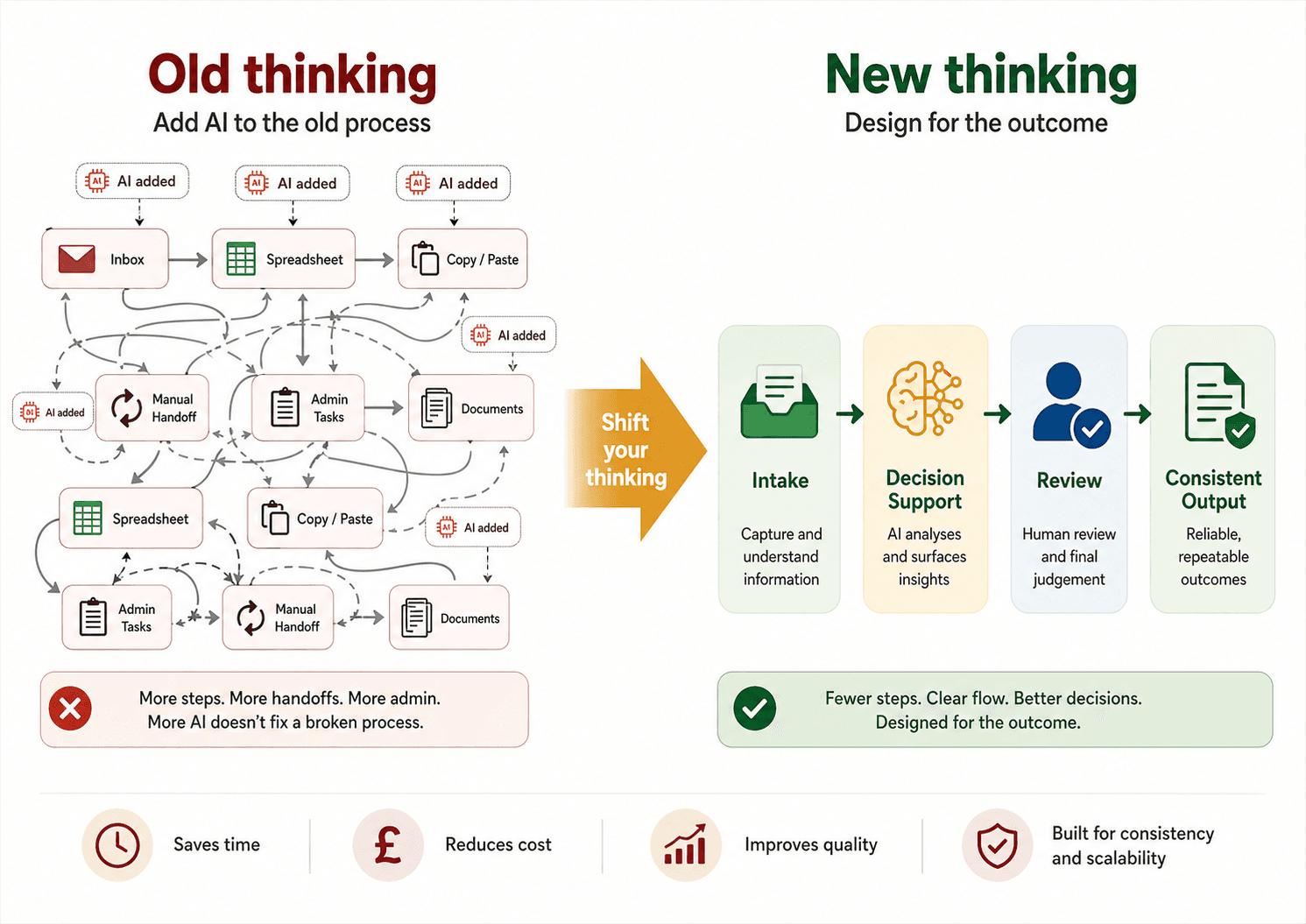
AI Adoption Needs a Mindset Shift, Not Just a New Tool
For SMEs, successful AI adoption starts by rethinking workflows from the ground up, rather than simply adding AI to existing manual processes.
What Most Small Businesses Don't Realise About AI
It is not coming for your job. It is not only for tech companies. And it does not cost a fortune to start. Here is what AI actually looks like inside a small business — and why the gap between businesses using it and those not is widening faster than most people think.
How AI Is Changing Operations for UK SMEs in 2026
AI is no longer just for large enterprises with deep pockets. Practical, affordable AI tools are now accessible to small and medium businesses. Here is what is actually working and where to start.